
Mobile crane CRM software in West England
For mobile crane hire firms serving West England, UpRate helps you keep customer and contact records alongside the agreed hire contracts. Sales Manager provides the shared commercial starting point. Confirm the ordering organisation, site and intended contact before passing the job to operations; add Resource Manager separately when you need crane and labour assignments.
Free CRM for 1 user with Sales Manager: customers, enquiries, quotes and hire contracts. Larger teams use paid capacity; scheduling, timesheets and invoicing are optional modules. No credit card needed to create your account.
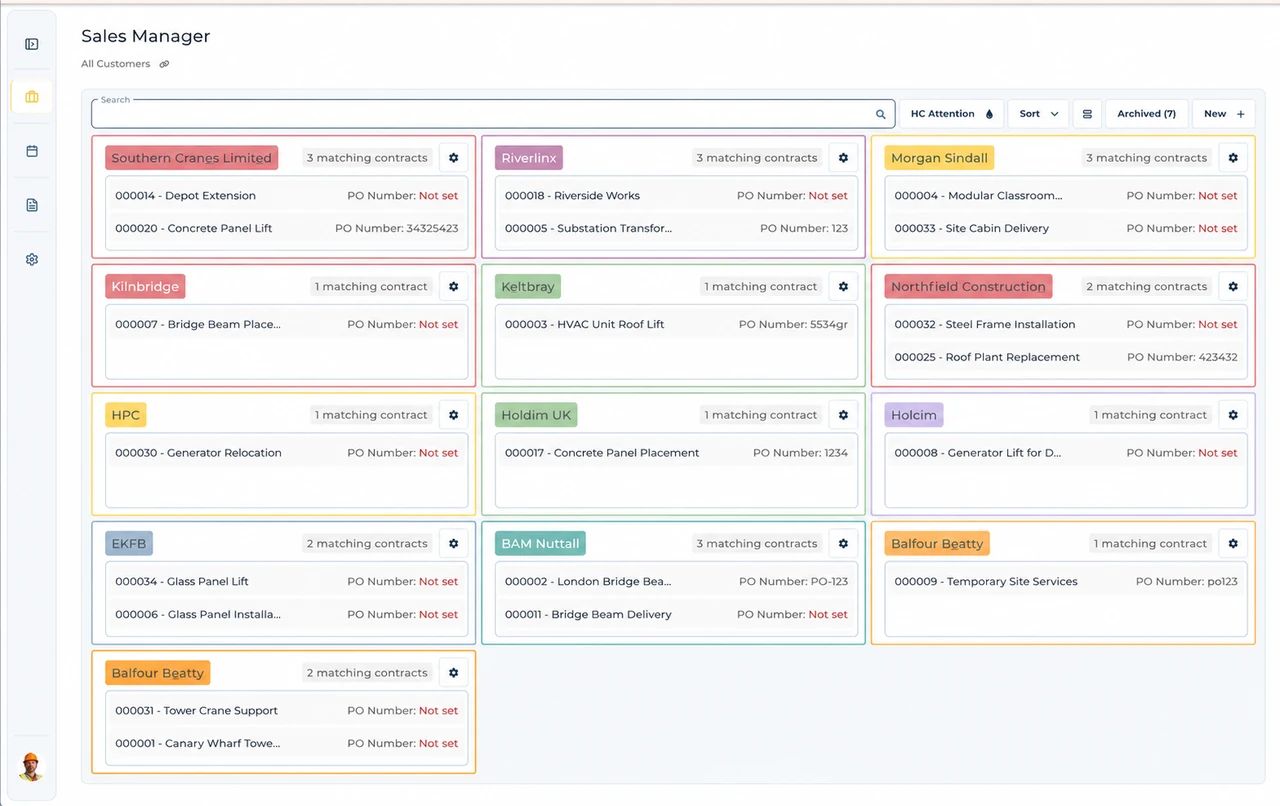
Built around the hire desk.
Keep customer context
Sales Manager holds customer and contact records alongside the sales workflow.
Follow commercial work
Manage enquiries, quotes and hire contracts without treating every site as a new customer.
Give operations a reference
Pass the relevant contact and agreed contract to operations before resource assignments or invoice preparation.
Wider UK customer experience.
Read the full customer stories“UpRate has made day-to-day work much easier, everyone has a clearer view of what’s happening, which means fewer follow-ups and better communication with the team.”

West England: Mobile crane CRM software handover
Illustrative workflow: Illustrative office workflow: The hire desk receives an enquiry described as a west England job. Establish the precise site and next contact instead of treating that broad description as an operating area boundary.
Find the organisation
Search existing customers before creating another record for the same business.
Check the contacts
Confirm who orders, who answers site questions and who handles invoices before relying on an old contact.
Create the hire contract
Keep the agreed hire with the customer and review site details before handing work to operations.
Confirm the West England site before the next handover
West England is a broad audience description here, not an official administrative region or an exhaustive set of postcode districts.
Keep the customer’s organisation and billing details distinct from the working site. A returning customer can use a new site contact or accounts instruction, so check this hire instead of assuming the last postcode identifies the next job.
A postcode area, a postcode district and a full unit postcode describe different levels of postal geography. Use the actual site address and full postcode when known; a broad prefix is not enough to establish the site authority or operating arrangements. Postal and administrative boundaries can differ, so check the current official geographic reference and the responsible authority rather than assuming a region name settles the job.
This is shared UK product guidance for teams serving West England. It does not claim a local UpRate office, postcode-based routing or automated authority checks. Follow the linked product guide for controls and verify the actual site arrangements separately.
Your next job.
A little simpler.
Free CRM for 1 user with Sales Manager. No credit card needed to create your account.