
Plant hire CRM in South England
UpRate gives plant hire company owners and hire desk managers a shared place for customer records, contacts and hire contracts. Keep job and site details with the customer, then add scheduling or invoicing when needed. Keep the hire desk’s customer-to-contract handoff clear.
Sales Manager is free for 1 user; larger teams use fixed user-capacity bands. Add scheduling and invoicing modules.
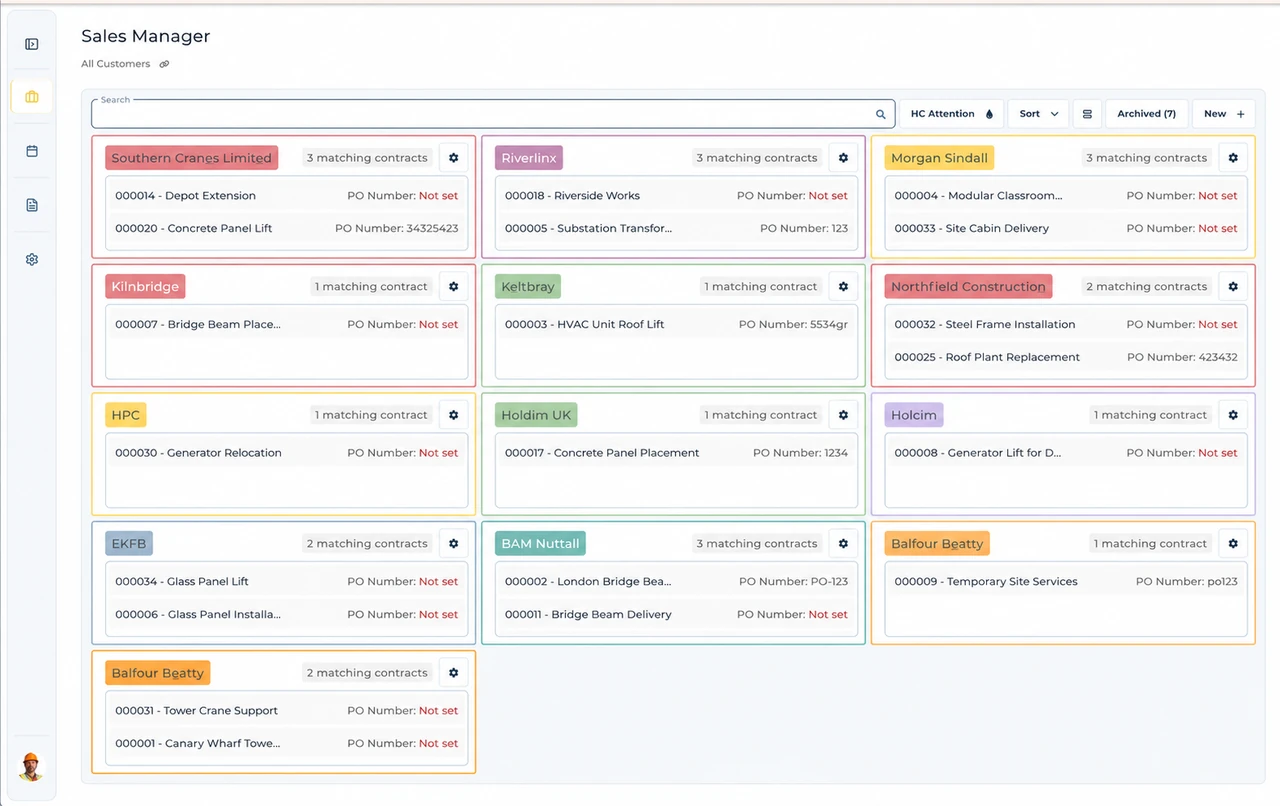
Built around the hire desk.
Find the right customer
Keep customer and contact records in Sales Manager, so the hire desk has a consistent place to find the organisation behind the job.
Keep contracts with the customer
Create and edit hire contracts from the customer record. Keep the job and site details attached to the agreement instead of splitting them across email threads.
Add operations when needed
Sales Manager is the foundation of your subscription. Add scheduling or invoicing without treating them as separate customer-management systems.
A Bristol public-buyer hire
Illustrative workflow: A hire desk receives a Bristol council order for equipment at a named site.
Confirm the agreed hire
Create or find the correct customer and contact, distinguishing the purchasing organisation from the site contact.
Create the hire contract
Add the hire contract with the agreed job, site details and order reference; review any amendment with the buyer.
Keep the handoff connected
When invoicing is included, check the invoice against the actual order instead of relying on the customer name alone.
A practical check for South England
A public-buyer job needs more than a recognisable site name. Bristol City Council publishes purchase-order and invoice instructions, while Portsmouth has its own supplier process. Use the actual purchaser’s requirements: the organisation paying for the hire may not be the person answering the site phone. Before creating the contract, ask who issued the order, which contact can authorise a change, and where the invoice should go. Keep agreed job and site details connected to that customer record. A different southern council or private contractor may have different instructions, so do not copy one buyer’s policy onto every account. UpRate does not create a council purchase order or submit a tender.
From a hire desk in South England
Read the full customer stories“UpRate has made day-to-day work much easier, everyone has a clearer view of what’s happening, which means fewer follow-ups and better communication with the team.”

Your next job.
A little simpler.
Start with customers and contracts. Add more when you need it.