
Plant hire software in South England
UpRate helps plant hire company owners and hire desk managers keep customers, hire contracts, plant, labour and invoices connected. Start with the agreed job, review the resource allocation and carry the work into the office handoff. Choose the modules your team needs rather than managing each stage in a disconnected spreadsheet.
Sales Manager is free for 1 user; larger teams use fixed user-capacity bands. Add scheduling and invoicing modules.
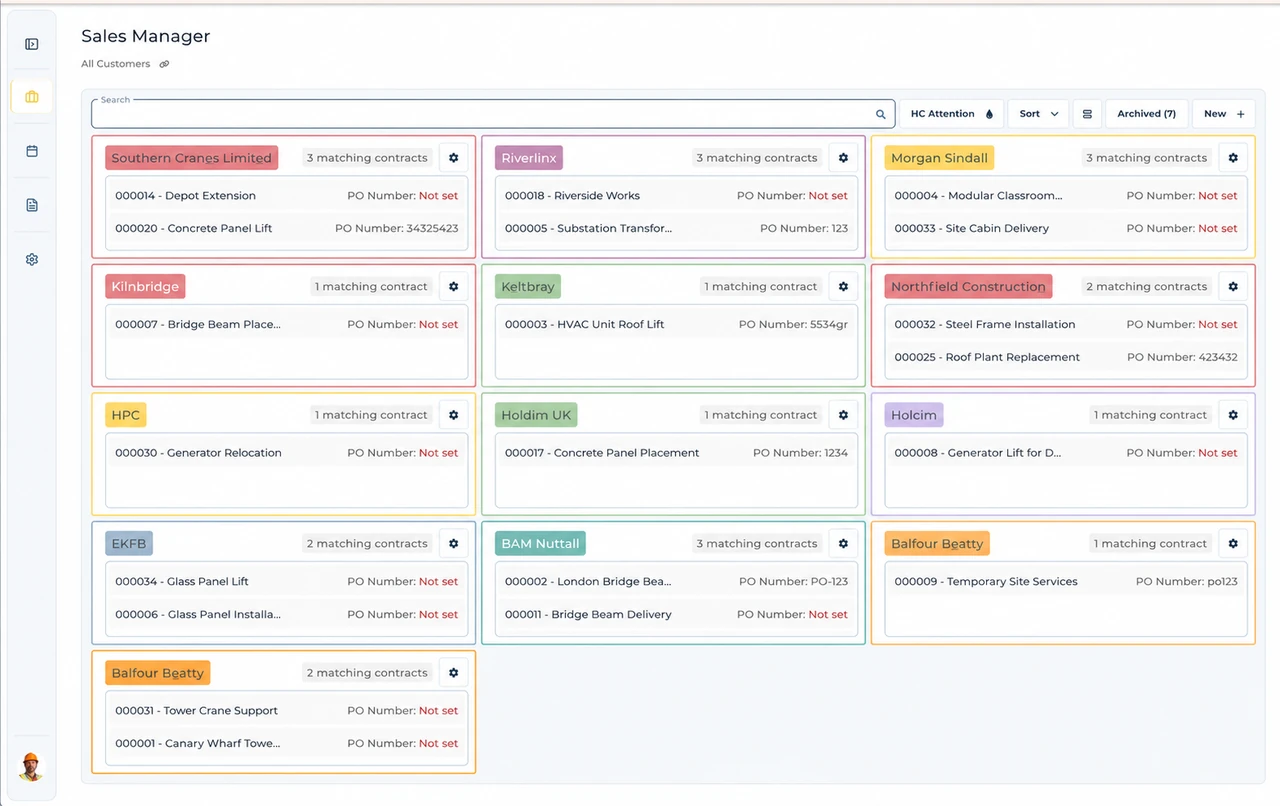
Built around the hire desk.
Keep the job together
Customer, site and hire contract details give the office a common starting point. Amend the record rather than relying on a separate spreadsheet.
Allocate people and plant
Resource Manager brings asset and labour assignments onto the schedule, with timesheets kept alongside the work.
Carry details into invoicing
Invoice Manager keeps the contract connected to invoice preparation, so accounts can review the job behind the charges.
A London machine substitution
Illustrative workflow: A London site asks for a different machine after the original booking.
Confirm the agreed hire
Record the customer, site entrance and agreed hire period before choosing the replacement plant.
Review the allocation
Confirm the replacement’s suitability and site requirements outside UpRate, then amend the asset and labour assignment.
Keep the work connected
Review the revised schedule and timesheets before the accounts team checks the contract charges.
A practical check for South England
London machinery requirements are a site question, not just a postcode on the booking. The GLA maintains an NRMM register; the site team should confirm the current requirements for the particular replacement machine. Westminster’s construction code is a separate local reference where the project sits in that borough. Neither source creates a single rule for every southern hire job. Ask the customer which site contact can confirm acceptance, whether the delivery entrance has changed, and whether the revised date still suits the crew. Keep the agreed site details with the contract and amend the allocation once those decisions are settled. UpRate does not inspect engines, register machinery or obtain permission.
From a hire desk in South England
Read the full customer stories“UpRate has made day-to-day work much easier, everyone has a clearer view of what’s happening, which means fewer follow-ups and better communication with the team.”

Your next job.
A little simpler.
Start with customers and contracts. Add more when you need it.