
Replacing plant-hire spreadsheets without losing track of bookings
Move from scattered booking sheets to a shared hire-desk system with a manageable clean-up, a checked trial and a clear cutover.

Start with the records behind the bookings
Replacing plant-hire spreadsheets works best when you move the underlying records as well as the coloured booking cells. Customers, contracts, plant, labour and dates need to agree before the new system becomes the place your team relies on.
Check for competing copies, inconsistent names and changes that only one person knows about. Agree how the team will record and share amendments before moving those records into new software.
Treat the move as a small operating change. Decide which record is current, who checks it and when the team will stop editing the old sheets. You do not need to reorganise every historical file before improving the next working week.
List what the hire desk actually uses
Before choosing a migration method, identify the sheets, documents and messages that your team uses to run a job. Include the files that accounts or the yard maintain separately. A booking list may depend on rates, contact details or resource names stored somewhere else.
Mark which records are live, which are useful history and which are duplicates. Keep a secure backup of the originals. Ask a colleague to check the list; the important spreadsheet is often the one that was not mentioned in the first conversation.
- Customer names, addresses and hire-desk contacts.
- Plant and labour records with consistent identifiers.
- Open contracts, confirmed work and provisional bookings.
- Agreed dates, rates and purchase-order references.
- Timesheets and the information accounts needs to invoice.
Clean the essentials before moving them
Use one name for each customer and one identifier for each resource. If the same machine appears under a fleet number in one file and a nickname in another, agree how the records will match. Remove duplicates only after checking which details should be retained.
Check dates and units carefully. A daily rate and an hourly rate should not be treated as interchangeable, and a date typed as text can be misunderstood. Assign someone to resolve missing or conflicting information rather than carrying it forward as an unexplained blank.
Prioritise active customers, resources and open jobs. Keep older records securely available according to your business’s requirements, but do not let an archive clean-up delay a workable move for current bookings.
Trial one complete job before the cutover
Choose a representative live workflow and check it from customer details through to the information needed for invoicing. Include a change of date or resource; a perfect first booking does not show how the system behaves on a busy afternoon.
In UpRate, Sales Manager brings customers and contracts together. Resource Manager adds assignments, labour and asset scheduling and timesheets. Invoice Manager supports the next part of the paperwork. Check the modules against the work your own team needs to complete rather than selecting them solely by a feature count.
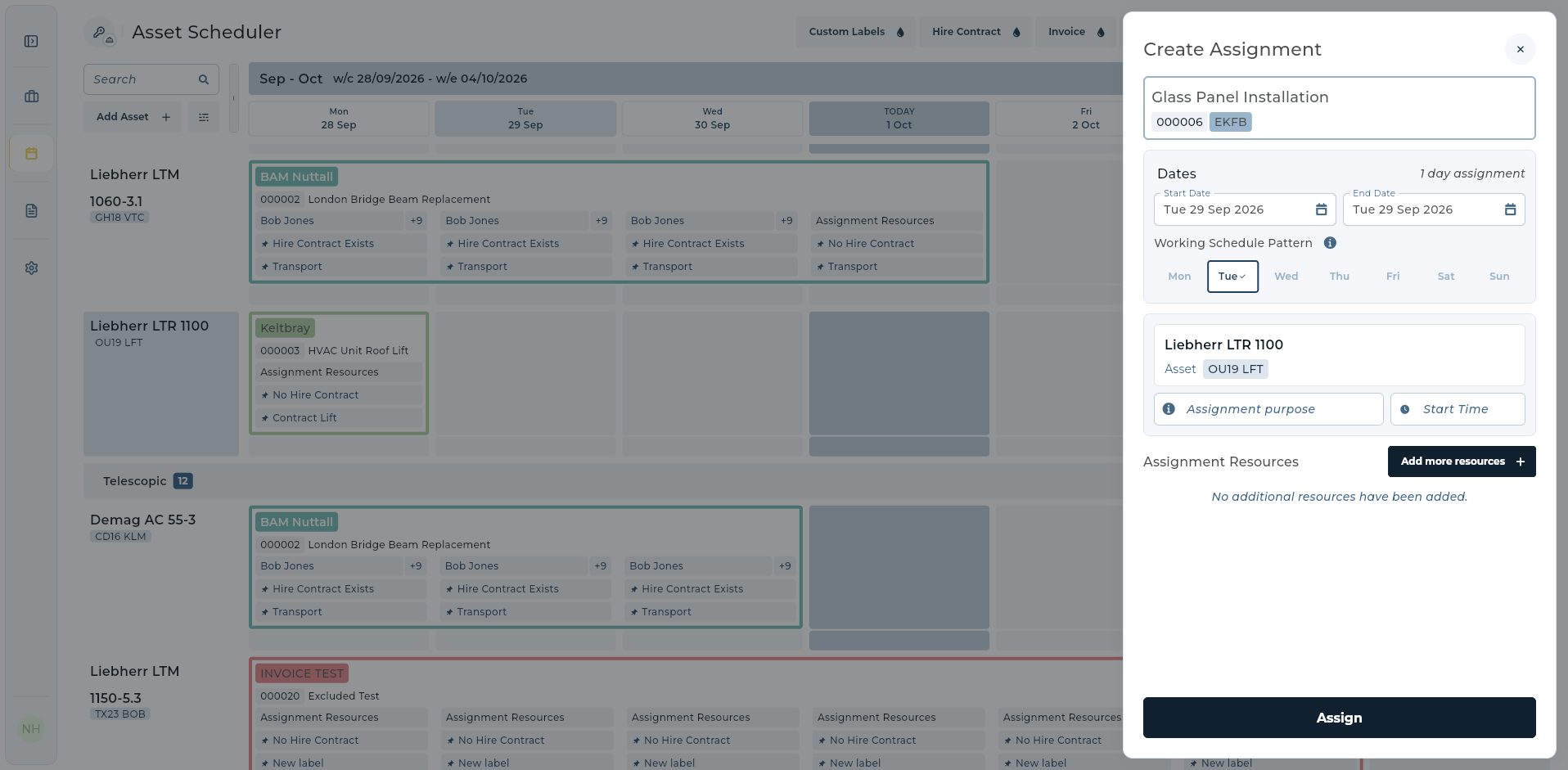
Choose a cutover point for bookings and amendments
Set a clear point when the new system becomes the place for new bookings and amendments. A short, deliberate comparison period can help you verify the records. An indefinite period of editing both systems creates another version-control problem.
Before switching, compare the open jobs: customer, contract reference, dates, allocated plant and labour, and outstanding paperwork. Ask the hire desk and accounts to check their parts. Record any exceptions and give each one an owner.
Make the old operational sheets read-only when you are ready. Keep the backup and explain where colleagues can find historical information. Tell everyone where a new enquiry belongs and where a booking change must be recorded.
- Agree the cutover date and the person responsible.
- Reconcile live bookings and resolve mismatches.
- Confirm each team member can find and amend their own work.
- Keep the original files securely backed up.
- Review the first working week and fix unclear processes.
Start small, but keep the workflow connected
You can begin with customers and contracts, then add scheduling and invoicing as the team is ready. For each stage, agree which records will move, who will check them and where colleagues will find the latest details.
UpRate Sales Manager is free for 1 user. Larger teams use fixed user-capacity bands for customers and hire contracts. Add Resource Manager for scheduling and Invoice Manager for invoicing. Choose purchased capacity around your workload.
Confirm how your records will be entered or transferred before setting the cutover date. Do not assume a particular spreadsheet format has a one-click import. Trial the agreed method with a small set of records, then check names, dates and live bookings against the originals.
Give your hire desk one place to start.
Bring customers and hire contracts into Sales Manager. Add the tools your operation needs as you grow.
Get started Compare modules