
Mobile crane hire software in North England
UpRate helps mobile crane hire company owners and hire desk managers keep the customer, contract, crane and operator allocation connected. Review the agreed job, amend the assignment when arrangements change and keep timesheets with the work. It gives the office a shared booking record without replacing lift planning or site decisions.
Sales Manager is free for 1 user; larger teams use fixed user-capacity bands. Add scheduling and invoicing modules.
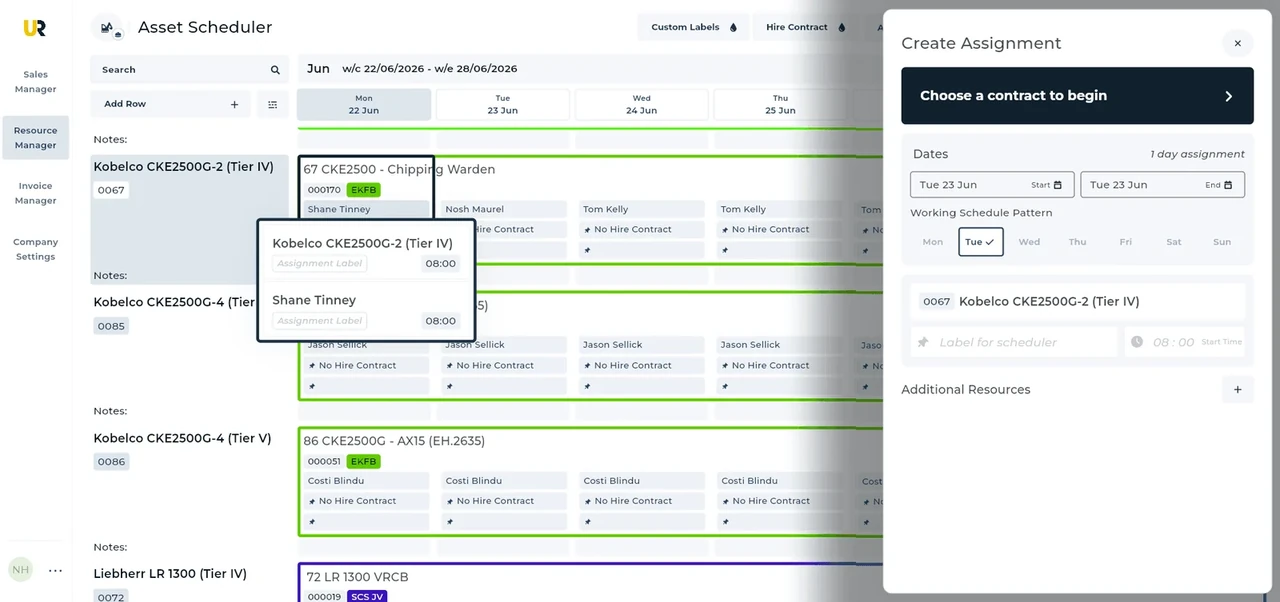
Built around the hire desk.
Start with the agreed hire
Use the customer and hire contract as the shared reference for the site, dates and work, rather than passing disconnected notes between desks.
Book the crane and crew
Allocate assets and labour to assignments on the schedule. Keep the machine and the people doing the work visible together.
Keep amendments connected
Update the assignment when arrangements change and collect timesheets against the work. Review the revised schedule before confirming the office handoff.
A Newcastle highway booking
Illustrative workflow: A Newcastle crane job must fit the working window confirmed for a highway operation.
Confirm the agreed hire
Keep the customer, contract and site details together so the desk can identify the agreed lift booking.
Review the allocation
After the operator confirms access arrangements, allocate the crane and crew to the actual window.
Keep the work connected
Review the schedule if the window changes, then retain the assignment and timesheets for the office.
A practical check for North England
For a Newcastle highway job, confirm the permission scope before treating a date as a settled crane booking. The council’s mobile-crane guidance describes a local licence process and associated arrangements. Sheffield’s specialist-vehicle process is a different local issue, not a substitute for Newcastle permissions. Ask the operator whether the confirmed window includes setup and departure, and whether parking bays or other site arrangements affect arrival. Keep a named contact for changes and review the crane and labour together if the customer moves the date. UpRate supports the allocation record; it does not apply for the licence, arrange traffic management, approve a lift or determine whether any particular vehicle may travel.
Wider UK customer experience.
Read the full customer stories“UpRate has replaced many of our manual processes, allowing us to manage everything in one centralised system.”

Your next job.
A little simpler.
Start with customers and contracts. Add more when you need it.