
Plant hire software in North England
UpRate helps plant hire company owners and hire desk managers keep customers, hire contracts, plant, labour and invoices connected. Start with the agreed job, review the resource allocation and carry the work into the office handoff. Choose the modules your team needs rather than managing each stage in a disconnected spreadsheet.
Sales Manager is free for 1 user; larger teams use fixed user-capacity bands. Add scheduling and invoicing modules.
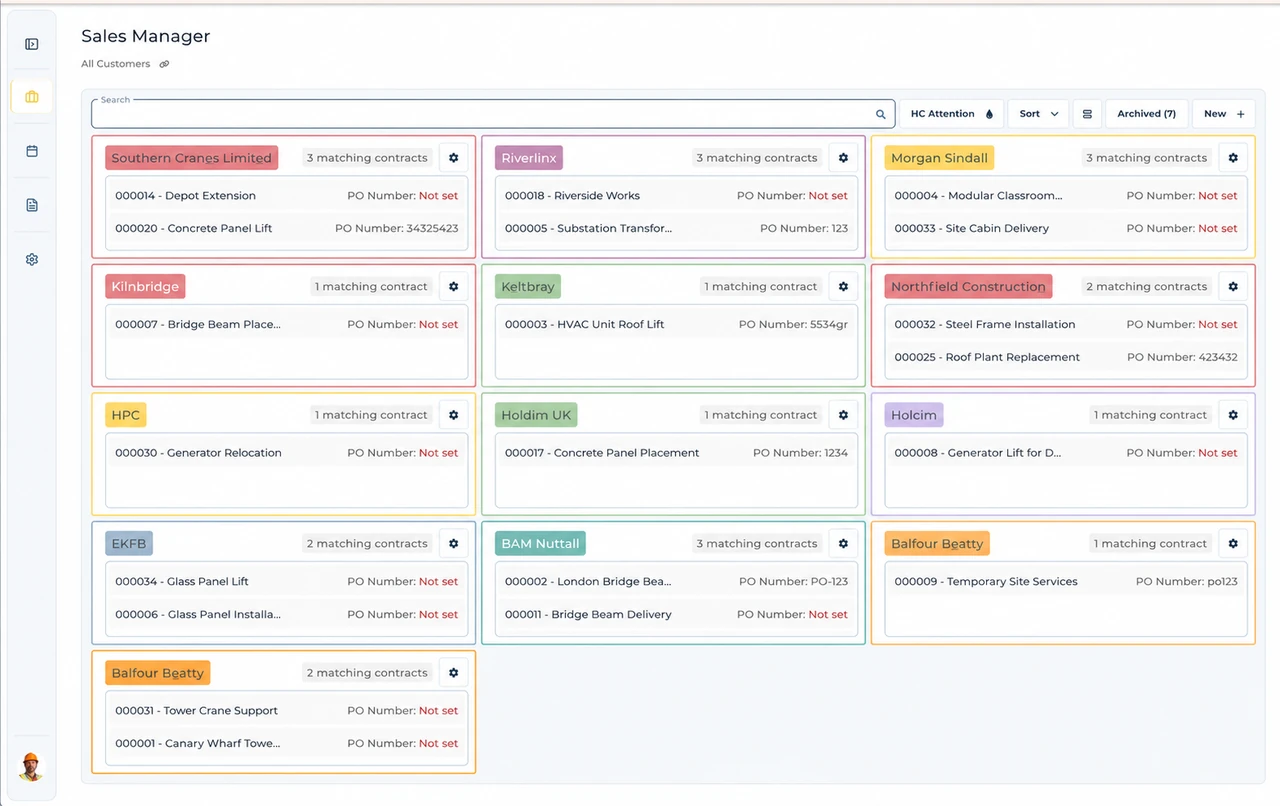
Built around the hire desk.
Keep the job together
Customer, site and hire contract details give the office a common starting point. Amend the record rather than relying on a separate spreadsheet.
Allocate people and plant
Resource Manager brings asset and labour assignments onto the schedule, with timesheets kept alongside the work.
Carry details into invoicing
Invoice Manager keeps the contract connected to invoice preparation, so accounts can review the job behind the charges.
A Sheffield replacement vehicle
Illustrative workflow: A Sheffield job needs replacement plant and the desk must revisit delivery arrangements.
Confirm the agreed hire
Open the customer’s contract and check the actual site entrance, hire dates and replacement request.
Review the allocation
Have the responsible people confirm vehicle access before amending the plant and operator allocation.
Keep the work connected
Review the changed schedule and work record, keeping the job available for invoice preparation where included.
A practical check for North England
A replacement machine can change the vehicle arriving at the site as well as the plant doing the work. Sheffield publishes a specialist-vehicle exemption process for its Clean Air Zone; eligibility must not be assumed from the word crane. Confirm the actual vehicle and any approval with the responsible operator before agreeing arrival. Newcastle has a separate highway process for crane work, which illustrates why northern cities cannot be treated as one access scheme. Ask whether a delivery lorry is involved and which entrance the customer expects it to use. Update the assignment only after those arrangements are settled. UpRate does not check zone eligibility, apply for an exemption or arrange highway permission.
Wider UK customer experience.
Read the full customer stories“UpRate has replaced many of our manual processes, allowing us to manage everything in one centralised system.”

Your next job.
A little simpler.
Start with customers and contracts. Add more when you need it.