
Plant and labour scheduling software in North England
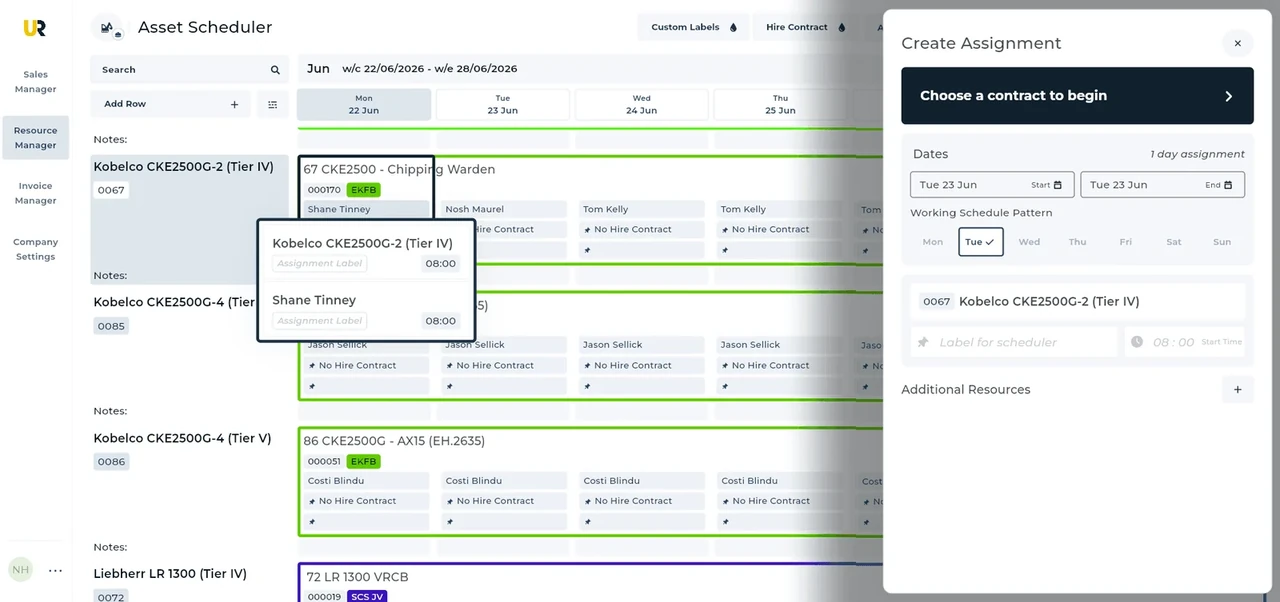
UpRate helps hire desk managers organise plant and labour assignments against agreed customer work. Review the schedule, amend allocated resources when dates change and keep timesheets with the assignment. Choose Resource Manager to connect the working plan with the contract instead of maintaining a separate resource spreadsheet.
Sales Manager is free for 1 user; larger teams use fixed user-capacity bands. Add scheduling and invoicing modules.
Built around the hire desk.
See the working schedule
Bring plant and labour records into Resource Manager and view assignments on the schedule before confirming the next job.
Amend the actual assignment
Change dates or allocated resources when the customer changes the work. Review the affected bookings rather than assuming the old allocation still applies.
Collect the work record
Keep timesheets with scheduled resources. The office can review what was recorded against the assignment before preparing the next handoff.
A Leeds shorter Saturday shift
Illustrative workflow: A Leeds site requests a shorter Saturday assignment and the desk must review both machine and labour dates.
Confirm the agreed hire
Check the customer’s contract and the task expected within the revised site window.
Review the allocation
Confirm the local and project arrangements, then amend the resources and review neighbouring bookings.
Keep the work connected
Collect the timesheet for the actual shift so the office can review recorded work against the hire.
A practical check for North England
A shorter shift needs a clear agreement about the task, not simply a Saturday box on the calendar. Leeds publishes construction-noise guidance with local working arrangements and exceptions; the responsible site team should confirm the applicable project conditions. If the booking involves a crane on the highway, Newcastle’s separate guidance shows why access also needs its own local check. Ask whether the revised shift allows setup and departure and whether an operator is shared with another assignment. Review the affected allocations in UpRate before confirming the amendment. Keep recorded hours with the actual work. The schedule does not approve noise exceptions, plan a journey or guarantee that every resource is suitable or available.
Wider UK customer experience.
Read the full customer stories“UpRate has replaced many of our manual processes, allowing us to manage everything in one centralised system.”

Your next job.
A little simpler.
Start with customers and contracts. Add more when you need it.