
Mobile crane enquiry management software in Belfast
For mobile crane hire firms serving Belfast, UpRate helps you record proposed work before a contract is ready. Keep known requirements, requested hire details and the next follow-up together. Enquiries require Sales Manager access and an enabled company pipeline. Creating an enquiry or changing its job progress does not allocate a crane or operator.
Free CRM for 1 user with Sales Manager: customers, enquiries, quotes and hire contracts. Larger teams use paid capacity; scheduling, timesheets and invoicing are optional modules. No credit card needed to create your account.
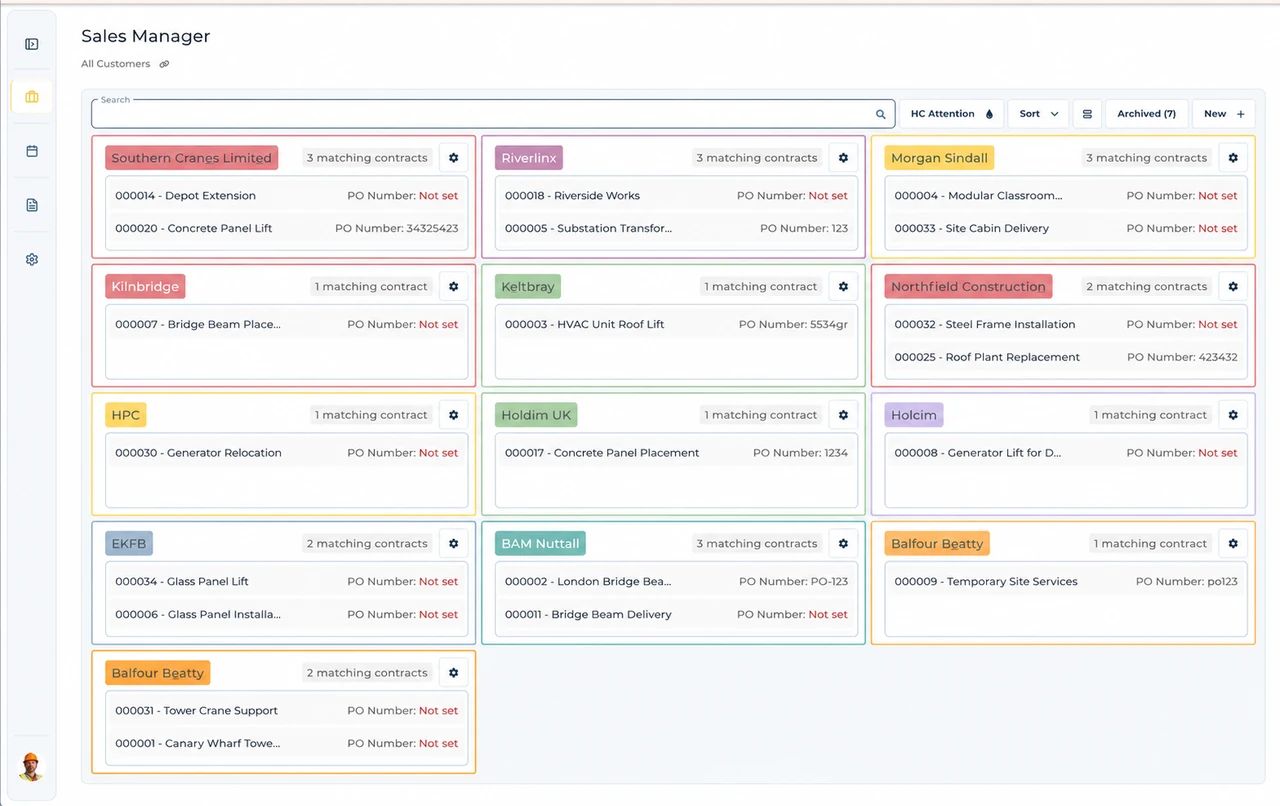
Built around the hire desk.
Keep proposed work separate
An enquiry describes work before a hire contract is ready.
Make the next action clear
Record an owner and a follow-up instead of leaving an unanswered enquiry in an inbox.
Preserve the booking boundary
Sales stage and job progress do not create Resource Manager assignments.
Wider UK customer experience.
Read the full customer stories“UpRate has replaced many of our manual processes, allowing us to manage everything in one centralised system.”

Belfast: prepare proposed crane work before a contract is ready
Illustrative workflow: An enquiry arrives with a site address but an unconfirmed start date.
Select the relationship
Find the existing customer or prospect and confirm the selected company before entering the enquiry.
Record the proposed work
Enter known requirements and requested hire details. Leave unknown dates unset rather than inventing a start.
Set the next action
Assign a follow-up owner and check the saved result. Creating an enquiry does not allocate resources.
Keep the office handover clear
Sales stage, job progress, record closure and Scheduler bookings are separate. Changing enquiry progress to Booked records your team’s position; it does not create a crane or operator allocation. Confirm the selected company and the relevant saved record before making the operations handover.
For Contract lift enquiries, the documented checklist covers Site review, Site survey, SSOW, RAMS, Lift plan and Route plan. Your team records status, date and person; Completed or Sent does not certify the work or automatically send a document. Enquiry operations documents remain distinct from contract paperwork.
The next practical handover is a confirmed customer, known site information and a named next action. If saving fails, use the displayed recovery action and check the saved result. Creating a contract from an enquiry remains separate from Resource Manager booking.
This page applies the shared UK mobile crane enquiry management software workflow to teams serving Belfast. It does not establish a local office or a location-specific rule. Confirm the actual site arrangements with the responsible people; use the product task guide for the software controls.
Your next job.
A little simpler.
Free CRM for 1 user with Sales Manager. No credit card needed to create your account.