
Mobile crane sales follow-up software in Guildford
For mobile crane hire firms serving Guildford, UpRate helps you give customer and enquiry follow-ups a named owner and a clear next action. Use the documented follow-up controls and check the saved result. Completing a reminder and clearing it are separate actions; a follow-up is not a crane booking or evidence that a customer was contacted.
Free CRM for 1 user with Sales Manager: customers, enquiries, quotes and hire contracts. Larger teams use paid capacity; scheduling, timesheets and invoicing are optional modules. No credit card needed to create your account.
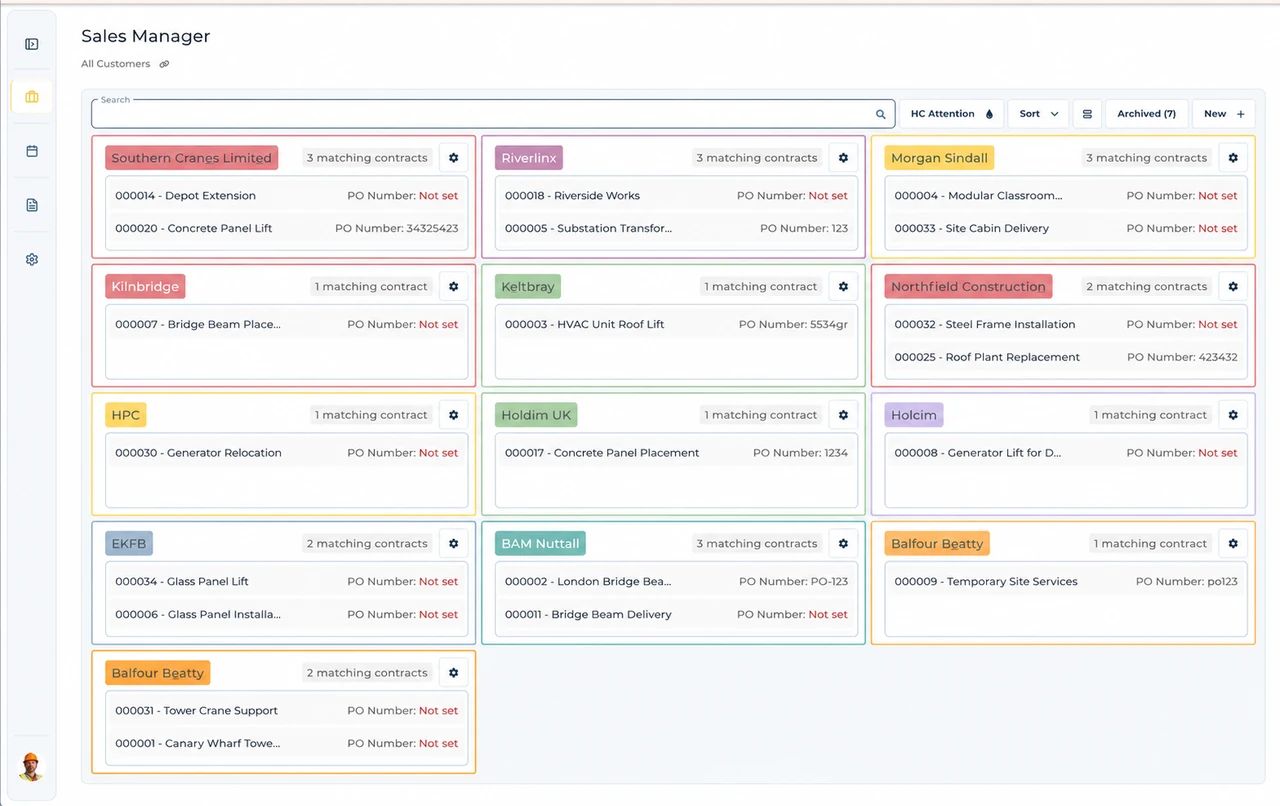
Built around the hire desk.
See the pending work
Follow-ups identify the planned customer or enquiry action.
Record the outcome
Complete a reminder as structured work history rather than merely moving its date indefinitely.
Keep the next owner clear
Choose the next follow-up when the conversation still needs action.
Wider UK customer experience.
Read the full customer stories“UpRate has replaced many of our manual processes, allowing us to manage everything in one centralised system.”

Guildford: give the next customer conversation an owner and outcome
Illustrative workflow: A proposed crane hire needs a return call after the customer checks site arrangements.
Find the reminder
Open the relevant customer or enquiry follow-up and confirm the work and owner.
Record what happened
After making contact, complete the follow-up with the performed date, outcome and appropriate notes.
Set the next action
Add a next follow-up if needed and wait for confirmation; cancelling completion leaves the original open.
Keep the office handover clear
Open the intended customer or enquiry follow-up and review the work before completing it. Record the performed date, optional time, performer, outcome and notes in the completion panel. Add another follow-up and owner when the conversation still needs a next action.
After confirmation, the completed reminder becomes a structured record; a chosen next follow-up becomes a new pending reminder. Cancel leaves the original reminder open. If saving is uncertain, use the panel’s recovery action rather than completing the same reminder again from another screen.
Sales Calendar helps review reminders across a period or team. It is separate from the Resource Manager schedule. A reminder to confirm a crane is not a booking, and completing the call does not allocate an asset or operator.
This page applies the shared UK mobile crane sales follow-up software workflow to teams serving Guildford. It does not establish a local office or a location-specific rule. Confirm the actual site arrangements with the responsible people; use the product task guide for the software controls.
Your next job.
A little simpler.
Free CRM for 1 user with Sales Manager. No credit card needed to create your account.