
Mobile crane invoicing software in Stockton-on-Tees
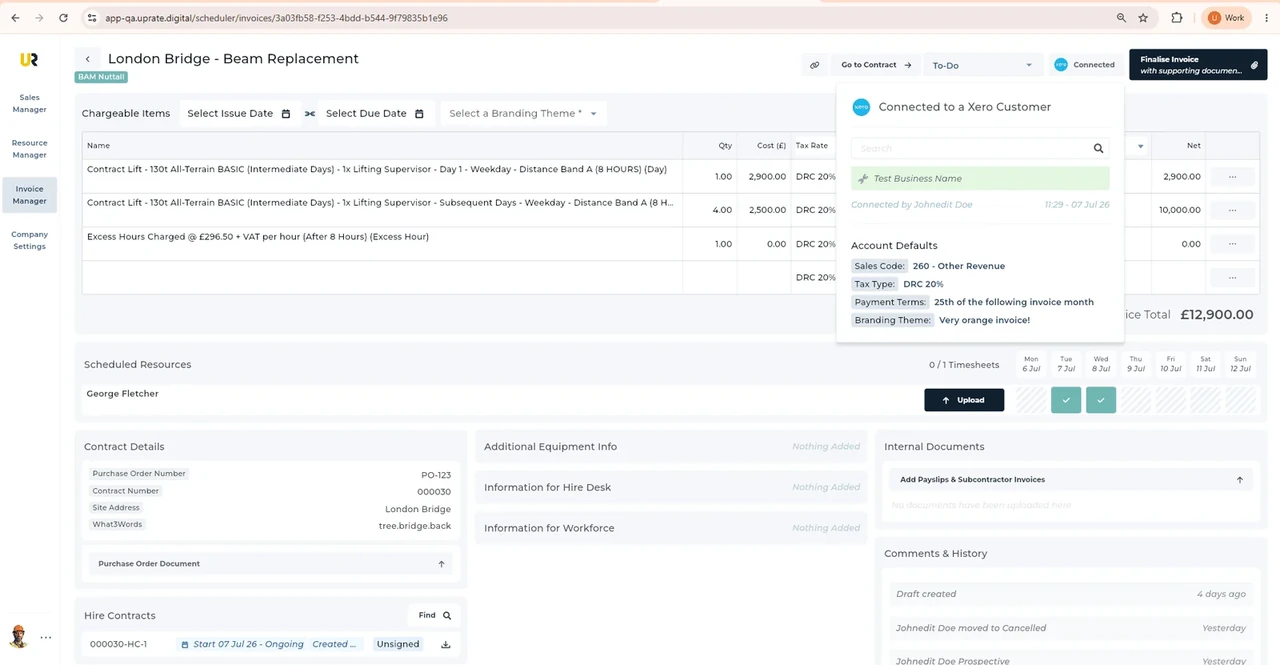
For mobile crane hire firms serving Stockton-on-Tees, UpRate helps you prepare invoice charge items with the hire contract close at hand. Invoice Manager is separate from Resource Manager. Review imported descriptions, quantities and rates against the agreed work, then check the saved invoice before continuing through the documented accounting and customer-document workflow.
Free CRM for 1 user with Sales Manager: customers, enquiries, quotes and hire contracts. Larger teams use paid capacity; scheduling, timesheets and invoicing are optional modules. No credit card needed to create your account.
Built around the hire desk.
Start from the contract
Invoice Manager can import contract charge items for review instead of reconstructing work from unrelated messages.
Make accounts checks explicit
Review the customer, descriptions, quantities and rates before submitting.
Retrieve the document
The Xero workflow returns the invoice PDF for your agreed customer submission route.
Wider UK customer experience.
Read the full customer stories“UpRate has replaced many of our manual processes, allowing us to manage everything in one centralised system.”

Stockton-on-Tees: Mobile crane invoicing software working handover
Illustrative workflow: Illustrative workflow for Stockton-on-Tees: review the agreement, the relevant record and the next office handover.
Find the agreement
Open the hire contract and confirm customer, buyer reference and work being invoiced.
Review charge items
Import contract charge items; check descriptions, quantities and rates against the agreement and supporting records.
Complete the Xero handoff
Choose Tax Rate and Sales Type, review, submit to Xero and retrieve its PDF for the customer.
Keep the office handover clear
UK movement notifications depend on the actual route and load; ESDAL supports the external notification process. Confirm the authority for each journey segment, including the separate Northern Ireland process.
For this illustrative UK job, the useful office result is reviewed charge items ready for the Xero handoff. Confirm the recipient and order reference before the Xero handoff. A buyer may need supporting records or a specific submission route; neither follows automatically from a schedule entry. Review Tax Rate and Sales Type with accounts. UpRate does not provide tax advice or submit to every public-buyer portal. UpRate organises the commercial and operational record; responsible people settle site access, permissions and safe lifting arrangements externally.
A changed permission window does not itself authorise extra charges. Compare the agreement and supporting work record before importing and reviewing contract charge items.
This page applies the shared UK mobile crane invoicing software workflow to teams serving Stockton-on-Tees. It does not establish a local office or a location-specific rule. Confirm the actual site arrangements with the responsible people; use the product task guide for the software controls.
Your next job.
A little simpler.
Free CRM for 1 user with Sales Manager. No credit card needed to create your account.