
Mobile Crane Hire Timesheets: Checks Before Invoicing
Match the worker, contract and week, resolve changes, and give accounts a clear record to compare with the agreed charges.

Start With The Job Behind The Sheet
Before preparing a mobile crane hire invoice, establish which work each timesheet supports. Check the customer, contract, worker and covered week together. A familiar site name or a file in the right email thread is not enough when the same crew has worked on several jobs. Give accounts a record they can compare with the agreed hire.
This checklist describes an office review, not a rule for calculating every crane hire charge. Your contract and the customer’s agreed terms determine what is billable. A recorded hour, a signed sheet and an invoice charge can answer different questions, so keep their purpose clear. Raise any uncertainty with the person authorised to agree the charge.
Check That The File Was Saved To The Intended Record
A selected file is not necessarily a saved document. In UpRate’s office Timesheet Loader, choose the intended worker, contract and week, inspect the selected file, then complete Save and wait for the saved document entry. Follow the linked guide for the current interface and recovery steps. Do not continue on the assumption that a preview proves the upload is complete.
If a file belongs to another job, stop and correct the record through the appropriate workflow. Repeatedly uploading the same file can leave colleagues unsure which version matters. Check existing saved documents first, retain the correct evidence, and follow your business’s retention arrangements when dealing with an incorrect attachment.
Resolve Amendments Before Copying Charges
Compare the recorded dates and work with the latest agreed arrangement. A later arrival, an extension or a replacement resource deserves a deliberate check. Ask which change was agreed with the customer, where that agreement is recorded and whether the person reviewing the invoice has the current information.
For an illustrative example, a two-day hire is extended into a third day and one operator is replaced. The office should identify both people’s records and the agreed extension before preparing charges. It should also check that an older draft does not still describe the original two-day period. This example does not prescribe a rate or imply that any particular extra charge is due.
- Does the record identify the intended customer and contract?
- Do the worker and covered dates match the job?
- Are there missing, duplicated or superseded files?
- Who confirmed any change to the agreed hire?
- Which questions must be resolved before accounts proceeds?
Treat Imported Items As A Starting Point
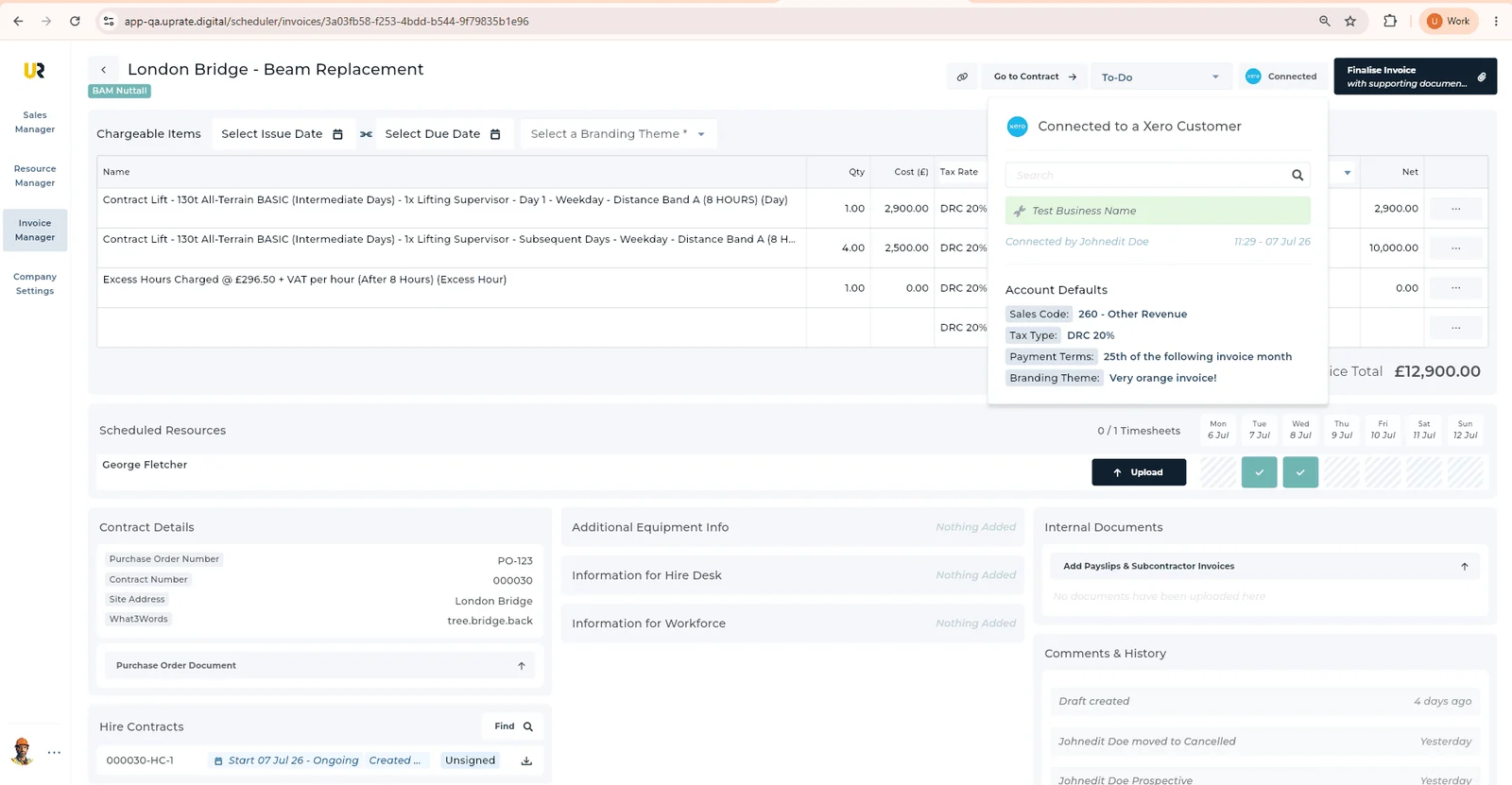
If you import charge items from a hire contract or previous week, review them against this period’s work. Copying saves re-entry; it does not establish that the old quantity, description or rate is still correct. Ask the reviewer to inspect each changed item rather than accepting a familiar-looking total.
UpRate’s guides describe importing hire contract or previous-week charges and editing Chargeable Items. Use those task instructions for the exact controls. Keep the contract available while checking the result, and avoid claiming that a timesheet automatically becomes a correct invoice. The person responsible for billing must still review the proposed charges.
Make The Accounts Handover Specific
Give accounts a short exception list with a named owner for each question. For example, ask the contract owner to confirm an extension rather than leaving “check extra day” on an invoice draft. Keep the supporting file attached to the intended work and make it clear whether the answer is outstanding or confirmed.
If the customer requires a purchase order or a particular reference, check their actual instructions. Do not assume another customer’s process applies. Distinguish a reference that is missing from one that has been requested but not yet issued, and agree how your team handles the hold. The aim is an invoice the customer can understand and your office can explain.
Finish by checking the saved invoice details through your normal approval process. A document upload is not a document send, and an internal review is not proof that a customer received an invoice. Keep those acknowledgement boundaries separate. When someone later queries the bill, they should be able to trace the charge back to the agreed hire and the supporting work record.
Keep The Work Record Close To The Invoice.
Use Resource Manager for scheduling and timesheets, and add Invoice Manager when your office needs the invoicing workflow.
Sign up for FREE Compare modules