
Mobile crane sales calendar software in Scarborough
For mobile crane hire firms serving Scarborough, UpRate helps you review customer and enquiry follow-ups in Sales Calendar. Eligible accounts can link Outlook or Google Calendar, one provider per account and company. Assigned follow-ups sync through a dedicated UpRate calendar; other displayed provider calendars are read only. Check company availability and connection status.
Free CRM for 1 user with Sales Manager: customers, enquiries, quotes and hire contracts. Larger teams use paid capacity; scheduling, timesheets and invoicing are optional modules. No credit card needed to create your account.
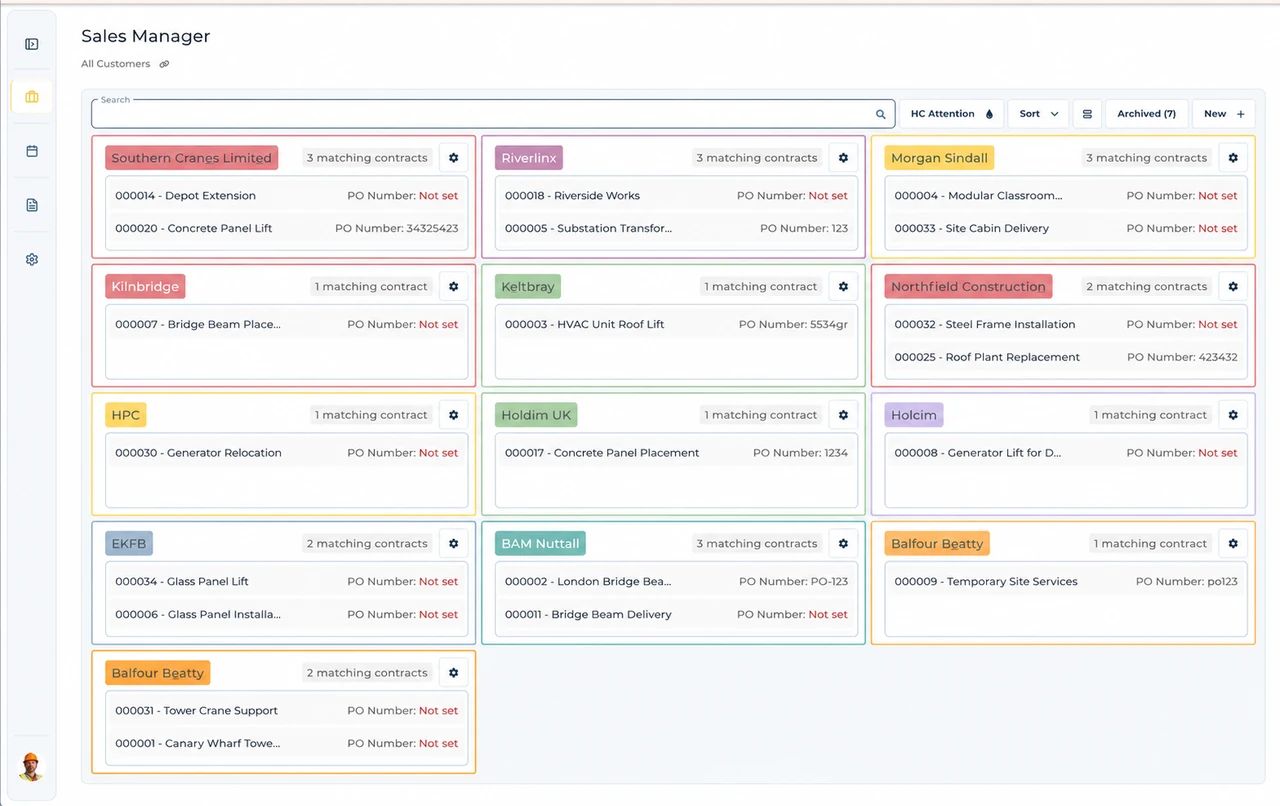
Built around the hire desk.
See sales reminders
Sales Calendar brings customer and enquiry follow-ups into a period view.
Connect an eligible provider
The release-candidate guide describes Outlook or Google Calendar, one active provider per account/company.
Distinguish reading from editing
Displayed external calendars are read only; follow-up sync uses the dedicated UpRate calendar.
Wider UK customer experience.
Read the full customer stories“UpRate has replaced many of our manual processes, allowing us to manage everything in one centralised system.”

Scarborough: review sales follow-ups alongside eligible provider calendars
Illustrative workflow: An assigned sales reminder needs checking beside an existing external appointment.
Review Sales Calendar
Open the correct account and company and identify the customer or enquiry follow-up. Sales Calendar does not allocate plant.
Check provider availability
Eligible accounts can link one provider per account and company: Outlook or Google Calendar. Google also depends on company provider setup.
Respect sync scope
Assigned follow-ups sync through the dedicated UpRate calendar; other displayed provider calendars are read only. Check Connected and the actual sync result.
Keep the office handover clear
The documented integration is scoped to an account and selected company. Unlink the active Outlook connection before linking Google, or unlink Google before connecting Outlook. Google linking also depends on company provider setup. The guide describes a release candidate; production availability is not verified for every company.
Check the displayed connection time zone and complete provider sign-in and consent. Returning from sign-in alone does not confirm a link: wait for Connected or use Check connection. After linking, inspect the dedicated UpRate calendar and actual follow-ups; Sync now requests a fresh sync.
Other selected provider calendars are read-only overlays. Edit those events in their original provider. Two-way assigned-follow-up sync applies to the dedicated UpRate calendar. Unlinking does not delete CRM follow-ups, and removing a provider entry does not delete its UpRate reminder.
This page applies the shared UK mobile crane sales calendar software workflow to teams serving Scarborough. It does not establish a local office or a location-specific rule. Confirm the actual site arrangements with the responsible people; use the product task guide for the software controls.
Your next job.
A little simpler.
Free CRM for 1 user with Sales Manager. No credit card needed to create your account.