
Mobile crane scheduling software in Chelmsford
For mobile crane hire firms serving Chelmsford, UpRate helps you review crane and operator assignments against the agreed contract and dates. Resource Manager brings plant and labour onto the schedule, with timesheets alongside the work. Check saved bookings and any conflicts before confirming the office handover; equipment suitability and safe lifting decisions remain with responsible people.
Free CRM for 1 user with Sales Manager: customers, enquiries, quotes and hire contracts. Larger teams use paid capacity; scheduling, timesheets and invoicing are optional modules. No credit card needed to create your account.
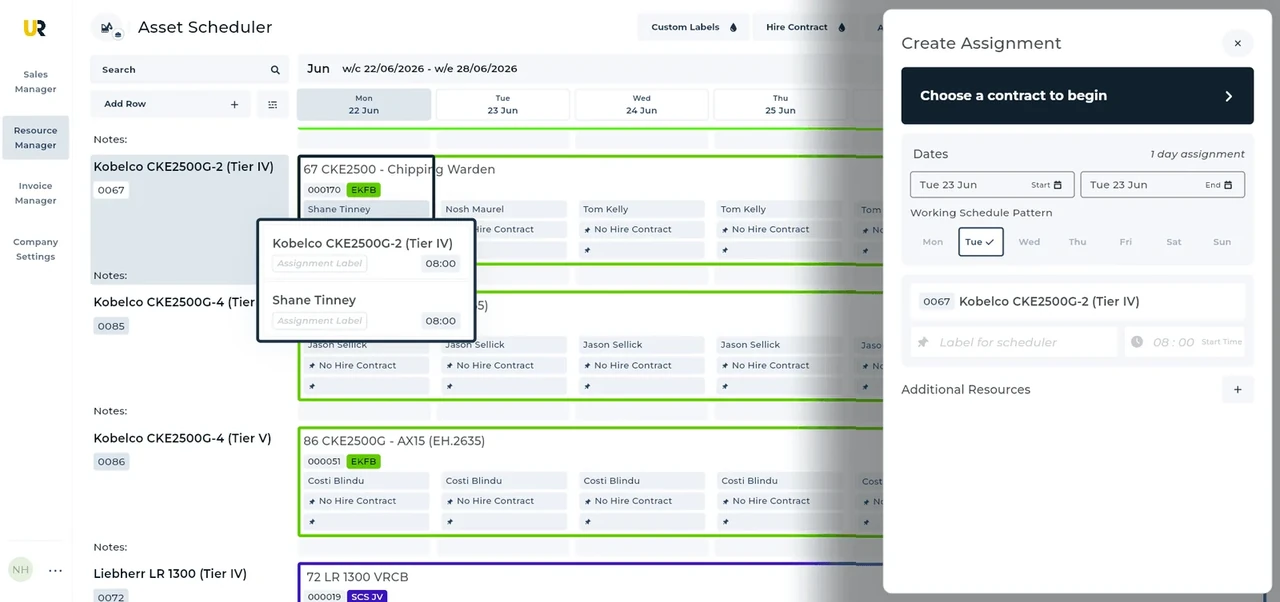
Built around the hire desk.
See assets and labour
Resource Manager keeps plant and people on the schedule against assignments.
Change the actual booking
Review the assignment when dates or resources change rather than circulating a second allocation list.
Keep the work record
Timesheets remain part of Resource Manager for the office handoff.
Wider UK customer experience.
Read the full customer stories“UpRate has replaced many of our manual processes, allowing us to manage everything in one centralised system.”

Chelmsford: Mobile crane scheduling software working handover
Illustrative workflow: Illustrative workflow for Chelmsford: review the agreement, the relevant record and the next office handover.
Open the assignment
Locate the contract and affected booking before changing dates or resources.
Review people and plant
Check crane and operator allocations together. Allow for setup, travel and the next job in the office review.
Confirm the revised record
Amend the assignment and review the schedule again before communicating the arrangement.
Keep the office handover clear
UK movement notifications depend on the actual route and load; ESDAL supports the external notification process. Confirm the authority for each journey segment, including the separate Northern Ireland process.
For this illustrative UK job, the useful office result is a reviewed assignment with the intended asset and labour. An available schedule line does not establish equipment suitability or crew competence. Review the proposed crane, labour, setup period and onward work with responsible people. When access changes, revisit the whole allocation instead of moving only the visible lift time. UpRate organises the commercial and operational record; responsible people settle site access, permissions and safe lifting arrangements externally.
A revised occupation window affects setup and removal as well as the lift. Review crane and labour allocations against the externally confirmed period before communicating the change.
This page applies the shared UK mobile crane scheduling software workflow to teams serving Chelmsford. It does not establish a local office or a location-specific rule. Confirm the actual site arrangements with the responsible people; use the product task guide for the software controls.
Your next job.
A little simpler.
Free CRM for 1 user with Sales Manager. No credit card needed to create your account.