
Plant hire CRM in Scotland
UpRate gives plant hire company owners and hire desk managers a shared place for customer records, contacts and hire contracts. Keep job and site details with the customer, then add scheduling or invoicing when needed. Keep the hire desk’s customer-to-contract handoff clear.
Free CRM for 1 user with Sales Manager: customers, enquiries, quotes and hire contracts. Larger teams use paid capacity; scheduling, timesheets and invoicing are optional modules. No credit card needed to create your account.
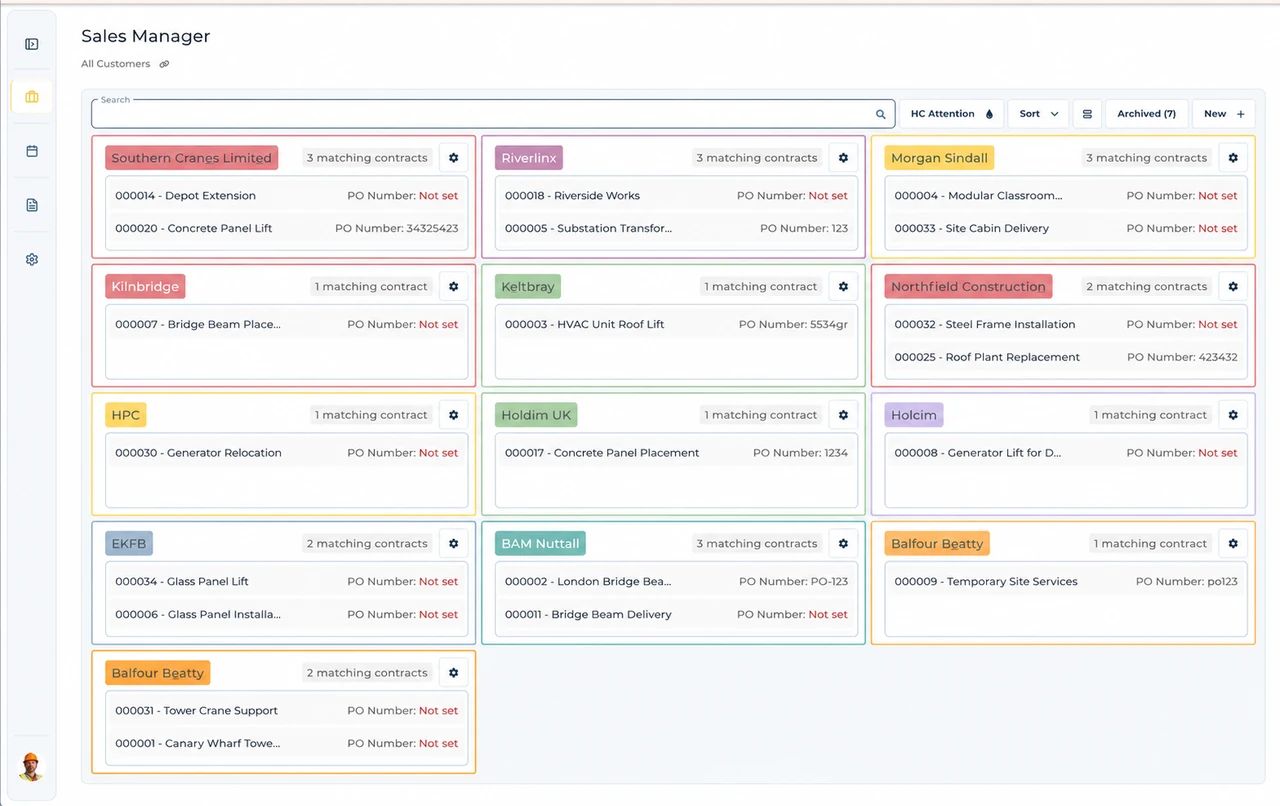
Built around the hire desk.
Find the right customer
Keep customer and contact records in Sales Manager, so the hire desk has a consistent place to find the organisation behind the job.
Keep contracts with the customer
Create and edit hire contracts from the customer record. Keep the job and site details attached to the agreement instead of splitting them across email threads.
Add operations when needed
Sales Manager is the foundation of your subscription. Add scheduling or invoicing without treating them as separate customer-management systems.
From a hire desk in Scotland
Read the full customer stories“UpRate has replaced many of our manual processes, allowing us to manage everything in one centralised system.”

A Scottish public-contract customer record
Illustrative workflow: A hire firm wins Scottish public-sector work and needs to turn the agreed supply into customer and contract records.
Confirm the agreed hire
Find the actual buying organisation and contact after the procurement activity is complete.
Create the hire contract
Create the hire contract with the agreed site, job and buyer reference; review any variation with that customer.
Keep the handoff connected
Pass the connected record to operations or invoicing when included, rather than starting a separate customer file.
A practical check for Scotland
Winning work and managing the resulting hire are different tasks. Public Contracts Scotland provides supplier and procurement guidance; that portal activity remains outside UpRate. For the resulting customer record, establish who is placing the hire and which organisation will pay. Edinburgh’s supplier instructions illustrate why order and invoice details also need a buyer-specific check. Ask whether a main contractor, council or other organisation is the contractual customer and which person may agree changes. Keep the agreed job and site details with the hire contract so operations and accounts can follow the same record. UpRate does not submit bids, guarantee an award or integrate with Public Contracts Scotland.
Your next job.
A little simpler.
Free CRM for 1 user with Sales Manager. No credit card needed to create your account.