
Mobile crane hire software in Bristol
Manage the office work behind mobile crane hire in Bristol: customers and enquiries, quotes and contracts, crane and crew assignments, timesheets and invoices. Start with the local handover question below, then choose the documented UpRate workflow. External permission and safe lifting decisions stay with the responsible people.
Free CRM for 1 user with Sales Manager: customers, enquiries, quotes and hire contracts. Larger teams use paid capacity; scheduling, timesheets and invoicing are optional modules. No credit card needed to create your account.
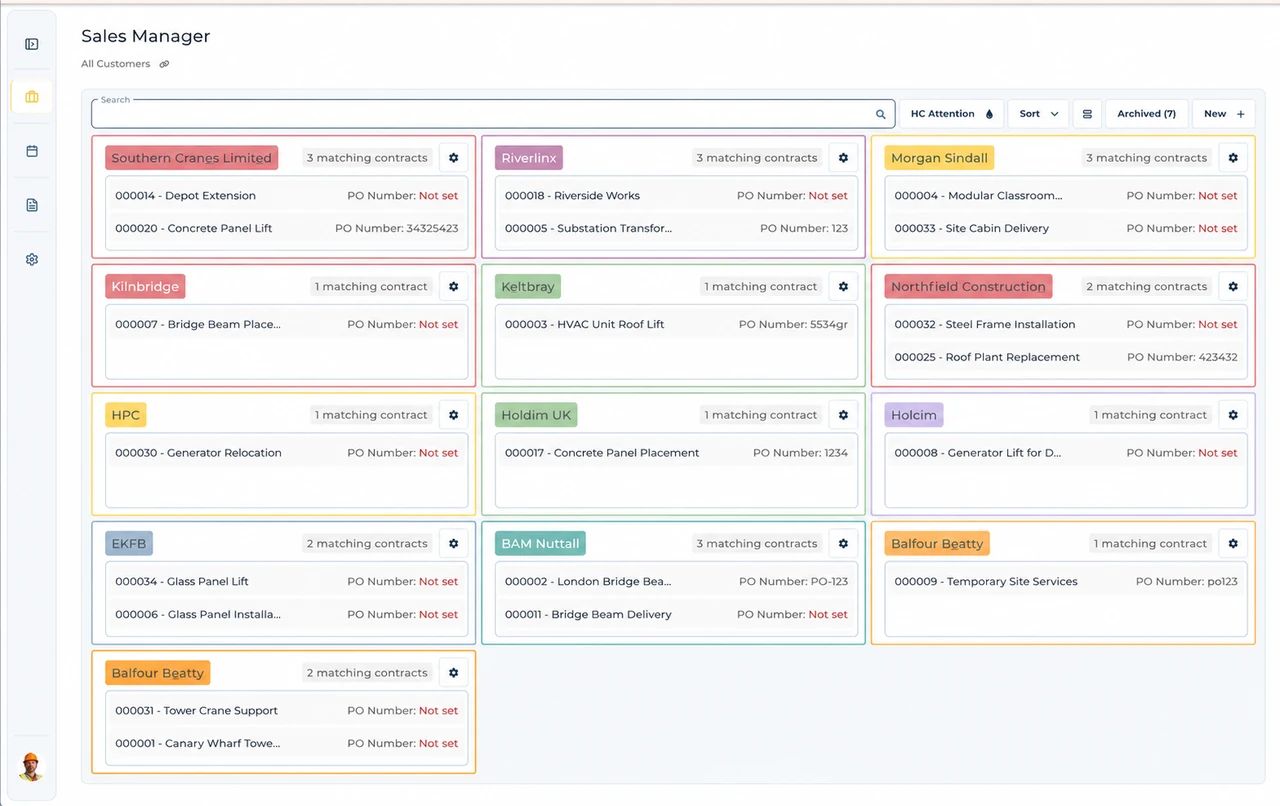
Built around the hire desk.
Settle the customer handover
Keep the enquiry, relevant contacts and agreed contract clear before operations confirms the booking.
Review crane and crew together
Resource Manager schedules plant and labour and collects timesheets; responsible people review suitability and access separately.
Keep accounts in context
Invoice Manager adds contract charge-item preparation and the reviewed Xero handoff.
Customer experience from South England
Read the full customer stories“UpRate has made day-to-day work much easier, everyone has a clearer view of what’s happening, which means fewer follow-ups and better communication with the team.”

Bristol: connect the local check to the hire desk
Illustrative workflow: Illustrative Bristol office handover: the customer requests crane attendance while the relevant local arrangement is being confirmed.
Identify the outstanding decision
Confirm the customer and site contact, then name the responsible person for the local question described below.
Agree the working window
After external arrangements are settled, review the contract and crane/operator assignment against the whole attendance period.
Keep the handover connected
Review recorded work against the agreement before preparing invoice charge items and the accounts handoff.
The Bristol question to settle before booking
Bristol specialist vehicle exemptions require approval; eligible mobile cranes are not automatically exempt. Confirm vehicle-specific approval outside UpRate before treating access as settled.
For a Bristol Clean Air Zone question, distinguish an eligible specialist vehicle from an approved exemption. Ask which vehicle is intended for the job, whether its application has been approved and who can verify the result. A pending application should not become a confirmed access assumption in the operations handover. If the crane changes, check the replacement vehicle separately; do not transfer approval from another registration. Keep the customer’s requested attendance and any access follow-up visible before allocating plant and labour. If recorded work differs from the booking, accounts must still check the agreement. The zone decision does not determine chargeable waiting time or approve a variation automatically.
Your next job.
A little simpler.
Free CRM for 1 user with Sales Manager. No credit card needed to create your account.